What Is Delta Math? Guide for Students & Teachers
What Is Delta Math? The Complete Guide for Students & Teachers
Introduction
Struggling to keep students engaged during math practice? You assign problems, students guess, and nobody learns why they got it wrong. That cycle kills confidence fast.
Delta Math fixes that. It gives students instant, step-by-step feedback on every answer — and gives teachers real data to act on. Whether you teach algebra or calculus, this platform changes how math gets done in your classroom.
What Is Delta Math?
Delta Math is a free, web-based math practice platform built by math teacher Zach Koppel in 2011. It started as a classroom tool and grew into one of the most-used math ed-tech platforms in the United States.
Students log in, complete assigned problem sets, and receive immediate feedback. Teachers build custom assignments tied to their curriculum. The system tracks every attempt, shows mastery progress, and highlights exactly where students get stuck.
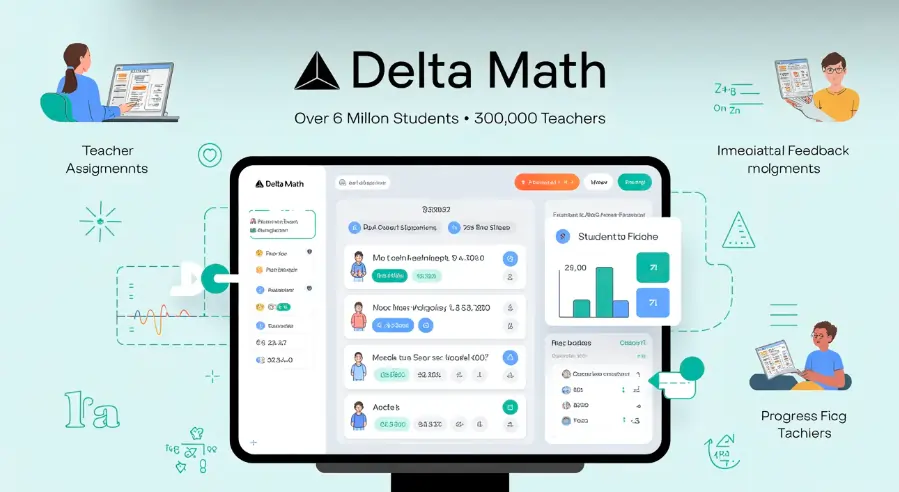
Today, Delta Math serves over 6 million students and 300,000 teachers across the country. It covers topics from middle school math all the way through AP Calculus and beyond.
How Does Delta Math Work?
The platform runs on a simple but powerful loop: practice → feedback → correction.
For students:
- Log in with a teacher-provided class code or Google/Clever account
- Complete assigned problem sets at their own pace
- See immediate right/wrong feedback with worked examples
- Retry problems until mastery is reached
For teachers:
- Build assignments from a library of 1,800+ problem types
- Set mastery requirements (e.g., get 5 correct in a row)
- Monitor class and individual progress in real time
- Assign video hints or written explanations alongside problems
The structure keeps students accountable without needing a teacher to check every paper manually.
What Grade Levels Does Delta Math Cover?
Delta Math covers a wide range of math content, making it useful from middle school through college prep courses.
Topic coverage includes:
- Pre-Algebra and 6th–8th grade math standards
- Algebra 1 and Algebra 2
- Geometry and Trigonometry
- Pre-Calculus and Statistics
- AP Calculus AB and BC
- Integrated Math I, II, and III (Common Core aligned)
Most teachers in grades 7–12 find the content library most aligned to their courses. Some college instructors use it for developmental math as well.
Is Delta Math Free?
Yes — Delta Math is free for both students and teachers at the core level. Teachers access the full assignment-building and progress-tracking features at no cost.
Delta Math Plus is the paid upgrade layer. It adds:
- Video hints attached to specific problem types
- Test mode (hides worked examples during assessments)
- Integrated assignments with more control over sequencing
- Enhanced reporting for individual student data
- Google Classroom and Canvas integration (LMS sync)
Delta Math Plus costs schools and districts a per-teacher fee annually. Individual teacher pricing is available directly on the Delta Math website. Many schools cover this cost through their ed-tech budgets.
How Do Teachers Set Up Delta Math?
Getting started takes under 10 minutes. Here is exactly how it works:
- Create a free account at deltamath.com using your school email
- Set up your class — name it, set the grade level, and get your class code
- Browse the problem library — filter by topic, standard, or course
- Build an assignment — select problem types, set mastery levels, add due dates
- Share the code — students join your class with the 6-character code
- Monitor progress from your teacher dashboard in real time
The interface is clean and straightforward. First-time users generally feel comfortable within one session.
How Do Students Log Into Delta Math?
Students access Delta Math through deltamath.com. Login options include:
- Class code entry — enter the code given by the teacher, then create a student account
- Google Sign-In — single-click login through a school Google account
- Clever Badge or Clever login — automatic SSO if your school uses Clever
- Canvas integration (Plus plan) — direct access through the Canvas LMS
No app download is required. Delta Math runs fully in a web browser on desktop, Chromebook, tablet, or phone. The mobile experience works, though a larger screen makes equation entry easier.
What Makes Delta Math Different from Other Math Platforms?
Several math platforms exist, but Delta Math earns loyalty from teachers for specific reasons.
Immediate, specific feedback. When a student gets a problem wrong, Delta Math does not just mark it wrong. It shows a worked example of a similar problem so the student can see the correct method.
Teacher-built, not algorithm-built. Unlike adaptive platforms that auto-generate student paths, Delta Math gives teachers full control. You choose what students practice and when.
No gamification noise. Delta Math skips the points, badges, and characters many platforms rely on. Students practice math — nothing distracts from that.
Real classroom roots. Zach Koppel built Delta Math as a working teacher. The tool solves actual classroom problems, not ed-tech marketing ideas.
Compare this to platforms like Khan Academy (which is self-paced and student-directed) or IXL (which uses a broad adaptive model). Delta Math sits in the teacher-controlled, standards-aligned practice space — which many teachers prefer.
How Does Delta Math Support Differentiated Instruction?
Differentiation is one of Delta Math’s practical strengths.
Teachers can assign different problem sets to different groups of students within the same class. A struggling student can receive foundational practice while an advanced student gets enrichment problems — all from the same assignment dashboard.
Mastery settings also support differentiation. You can require one student group to get 3 correct in a row and another to reach 5, adjusting the rigor to match readiness levels.
For students with accommodations, the built-in worked examples act as built-in scaffolding — reducing the need to pull small groups for re-teaching.
Does Delta Math Align with Common Core and State Standards?
Yes. Delta Math organizes its problem library by standard for major U.S. curriculum frameworks.
Teachers can filter problems by:
- Common Core State Standards (CCSS) — aligned tags on most problem types
- State-specific standards — many states have their own filters (Texas TEKS, for example)
- Course-based browsing — Algebra 1, Geometry, Calculus, etc.
This alignment makes it straightforward to assign practice that matches exactly what you tested or taught that week. It also supports standards-based grading since you can track mastery by specific skill, not just overall score.
Can Delta Math Be Used for Homework, Tests, and Warm-Ups?
Absolutely. Teachers use Delta Math across every part of the instructional cycle.
Homework: Assign a problem set with a due date. The platform tracks who completed it and how many attempts each student needed.
Warm-ups and bell-ringers: Build a short 5–10 problem set on yesterday’s skill. Students start independently while you take attendance.
Formative assessment: Assign a quick check mid-lesson. Check the dashboard to see which students are struggling before you move on.
Test mode (Plus): Lock out worked examples and create test-like conditions. Students cannot see hints or solutions — making it suitable for graded assessments.
Test corrections: Students redo problems they missed on a paper test using Delta Math, then submit a correction report.
What Do Teachers Say About Delta Math?
Teachers consistently mention three things when they talk about Delta Math.
It saves time. Grading practice sets used to take hours. Now the platform handles it, and teachers get better data than a simple score.
Students actually do the work. Because each problem set requires correct answers — not just completed attempts — students cannot rush through randomly.
The feedback loop is instant. A student stuck at 10 PM doing homework gets a worked example immediately. They do not have to wait until the next day to find out what they did wrong.
These outcomes align with research from the Learning Policy Institute and ISTE on effective ed-tech: tools that provide immediate corrective feedback consistently outperform tools that only track completion. (Source: learningpolicyinstitute.org)
Delta Math for Remote and Hybrid Learning
During school closures and hybrid schedules, Delta Math became a core tool for thousands of schools.
Because everything runs online, students can access assignments from home with just a browser. Teachers can assign work, monitor progress, and see exactly when students logged in and how long they spent on each problem.
The platform does not require any device management setup. A student with a basic laptop or phone and a WiFi connection can access everything.
Google Classroom and Canvas integrations (available in Plus) allow teachers to push Delta Math assignments directly into the LMS without students needing a separate login step.
How to Maximize Delta Math as a Student
Students who use Delta Math effectively do more than just answer questions until they pass.
Smart strategies include:
- Read the worked example fully when you get a problem wrong — do not just guess again
- Write out your steps on paper alongside the digital input — it builds retention better than typing alone
- Redo problems you struggled with after a day or two to confirm you actually learned it
- Use the hint videos (if your teacher has enabled them) before your second attempt
- Check your progress page to see which skills show mastery and which still need work
Research from the Institute of Education Sciences confirms that spaced practice and immediate feedback together produce stronger long-term retention than massed practice alone. (Source: ies.ed.gov)
External Sources Referenced
- Learning Policy Institute — Research on effective ed-tech feedback tools: learningpolicyinstitute.org
- Institute of Education Sciences (IES) — Evidence on spaced practice and feedback: ies.ed.gov
- ISTE (International Society for Technology in Education) — Standards for effective ed-tech: iste.org
- Common Core State Standards Initiative — Curriculum alignment reference: corestandards.org
- Delta Math Official Site — Platform documentation and pricing: deltamath.com
Frequently Asked Questions About Delta Math
1. What is Delta Math used for?
Short answer: Delta Math is used for math practice, homework, formative assessment, and test corrections in grades 6–12.
Teachers build assignments from a library of over 1,800 problem types. Students complete them online and receive instant feedback with worked examples when they answer incorrectly. The platform tracks mastery data by skill, making it easy for teachers to spot where students struggle and adjust instruction.
2. Is Delta Math free for teachers and students?
Short answer: Yes, the core version of Delta Math is completely free for both teachers and students.
The free version includes full access to the problem library, assignment building, class management, and progress tracking. Delta Math Plus adds premium features like test mode, video hints, and LMS integration for an annual fee — but the free version covers most classroom needs.
3. How do I join a Delta Math class?
Short answer: Go to deltamath.com, click “Student,” and enter the class code your teacher gave you.
You then create a free student account using your name and email, or sign in through Google or Clever. Once in, you see all assignments your teacher has posted. No app download is needed — everything runs in your browser.
4. Can Delta Math detect cheating?
Short answer: Delta Math logs every attempt, timestamp, and how long students spend on each problem — which helps teachers spot unusual patterns.
In standard mode, students can see worked examples, which some teachers restrict during assessments. Delta Math Plus offers a test mode that hides all worked examples and hints, making it harder to get answers without actually working through the problems. Teachers can also randomize problem values so each student sees different numbers on the same problem type.
5. What is the difference between Delta Math and Khan Academy?
Short answer: Delta Math is teacher-controlled and curriculum-matched; Khan Academy is student-directed and self-paced.
With Delta Math, the teacher selects every problem type and sets mastery requirements — putting the instructional sequence in the teacher’s hands. Khan Academy generates a personalized learning path based on student performance. Both are valuable, but Delta Math fits better in structured classroom settings where teachers drive pacing and standards alignment.
6. Does Delta Math work on phones and tablets?
Short answer: Yes, Delta Math works on any modern mobile browser without needing an app.
Students can complete assignments on a phone, tablet, or Chromebook. However, entering math expressions on a small touchscreen can feel awkward for complex equations. A tablet with a stylus or a laptop provides the smoothest experience. The teacher dashboard also works on mobile, though the full data view is easier to read on a larger screen.
Conclusion: Start Using Delta Math Today
Delta Math is one of the most practical tools in math education — not because it promises miracles, but because it solves a real problem. Students get feedback when they need it. Teachers get data without drowning in grading. And the whole system stays focused on actual math learning, not entertainment.
If you teach math and haven’t tried Delta Math yet, visit deltamath.com and create your free account today. Set up one assignment this week, share the class code with your students, and check your dashboard after they complete it.
You will see exactly where your students stand — and exactly what to teach next.
Share this guide with a fellow math teacher who would find it useful. Better tools, shared widely, make better classrooms.